
Introduction
Char Dham Yatra online registration is a mandatory step for all pilgrims planning to visit Yamunotri, Gangotri, Kedarnath, and Badrinath. To manage heavy pilgrim traffic and ensure safety in high-altitude regions, the Uttarakhand Government has made online registration compulsory for the Char Dham Yatra 2026.
This page explains the Char Dham registration process online in a step-by-step format, using the official government website and screenshots for better understanding. If you are looking for complete rules, offline options, and eligibility details, you can also refer to our Char Dham Yatra Registration 2026 guide for a broader overview.
Official Website For Char Dham Registration Online
For the Char Dham Yatra online registration in Uttarakhand, pilgrims can visit the official portal of the Uttarakhand Government or through the mobile app of Uttarakhand Tourist Care. For a hassle-free experience, the Char Dham Yatra online registration process via the official site is the best option to avoid any hassle.
Official Portal of Uttarakhand Tourism registration online for Char Dham Yatra:- https://registrationandtouristcare.uk.gov.in
How to Avoid Fake Char Dham Registration Websites?
Due to the high demand for Char Dham Yatra, many fake and unauthorized websites appear every year claiming to offer Char Dham registration online. These sites often charge money for a process that is completely free and may misuse personal details.
To stay safe, always keep these points in mind:
Use only the government-authorized website for Char Dham Yatra registration
Avoid websites that ask for registration fees, payment details, or advance charges
Check for the official government domain (.gov.in) before entering personal information
Do not share OTP, Aadhaar number, or documents with agents or third parties
The Uttarakhand Government does not appoint private agents for online registration
Tip: If a website promises “guaranteed registration” or “VIP registration,” it is most likely fake.
Using the official Char Dham registration portal only ensures your data security and avoids registration rejection or fraud.
Step-By-Step Char Dham Yatra Online Registration Process
Since online registration is a convenient option, many pilgrims ask this question: How to register online for Char Dham? Below is an explanation of this question with a step-by-step guide.
Step 1 – Visit The Official Registration Website
Visit https://registrationandtouristcare.uk.gov.in/, the official portal of Uttarakhand tourism registration online.
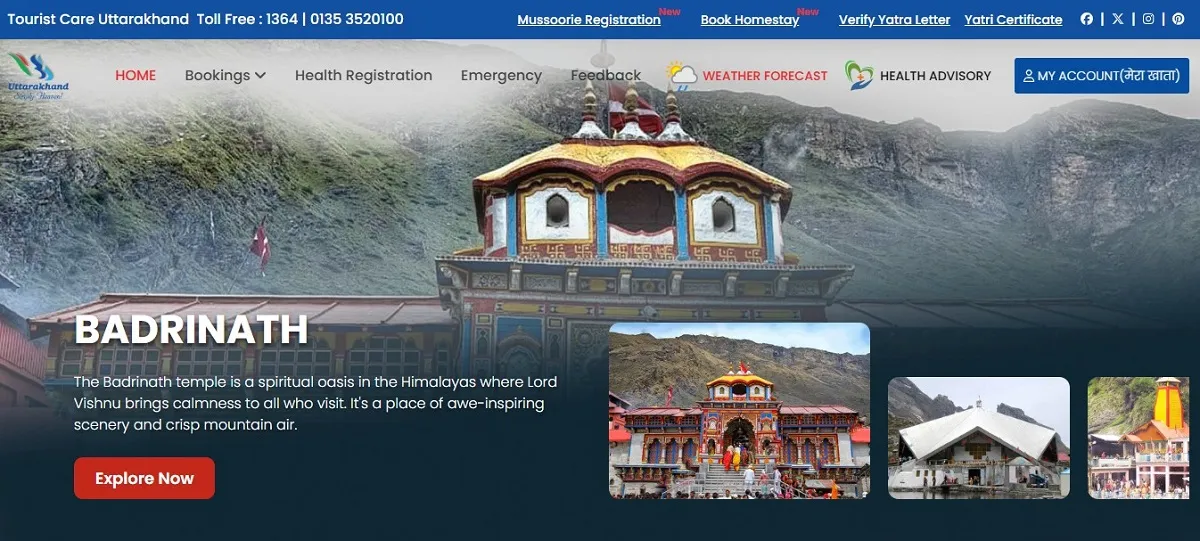
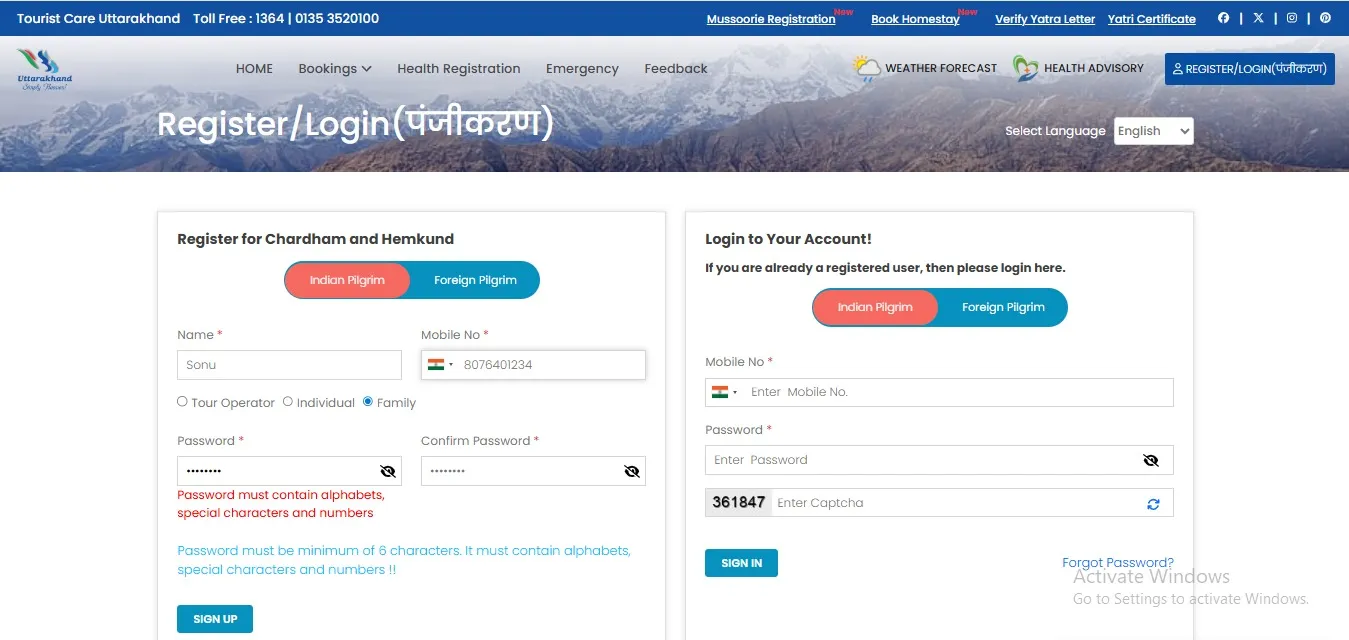
Step 2 – Create A New Registration Account
Create a Char Dham registration online account through your mobile number and basic details, such as selecting the user type (family, individual, or tour operator). Char Dham registration online process includes:
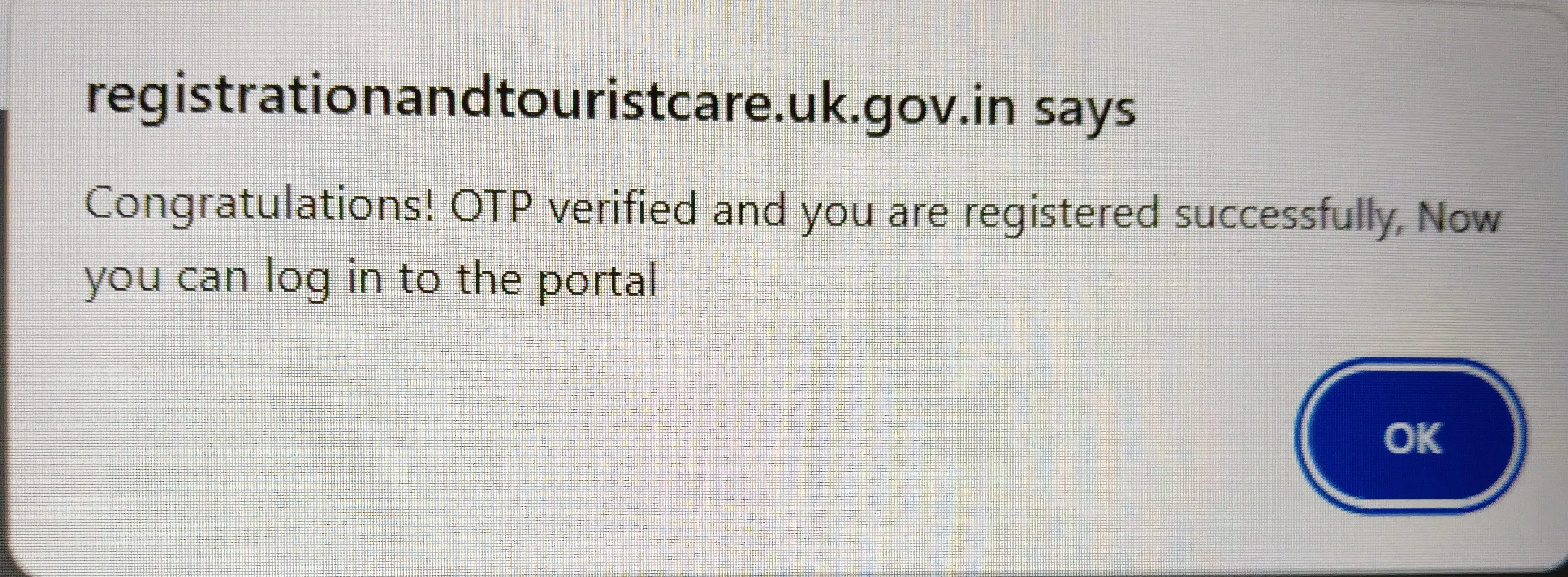
OTP Verification: Verify your account creation process via the OTP that you receive on your mobile number. After that you will get congratulation pop up notification.
Step 3 – Login to Your Char Dham Registration Online Account
The next step is to log in to your Char Dham registration account and add your tour details. If you face any issues while log in, you can refer to our Char Dham Yatra Registration Login Guide for a detailed walkthrough.
After logging in, follow these steps:-
Click on the “Create/New tour Info” button and then click on the “Add New Tour” option.
Enter your travel dates (when your yatra starts/ends), number of pilgrims, and mode of transport (road or helicopter).
Select date-wise destination: Select Char Dham as your destination and select the dham date.
Note: Char Dham registration online process is crucial, so plan your tour carefully, as the details you fill in are considered final.
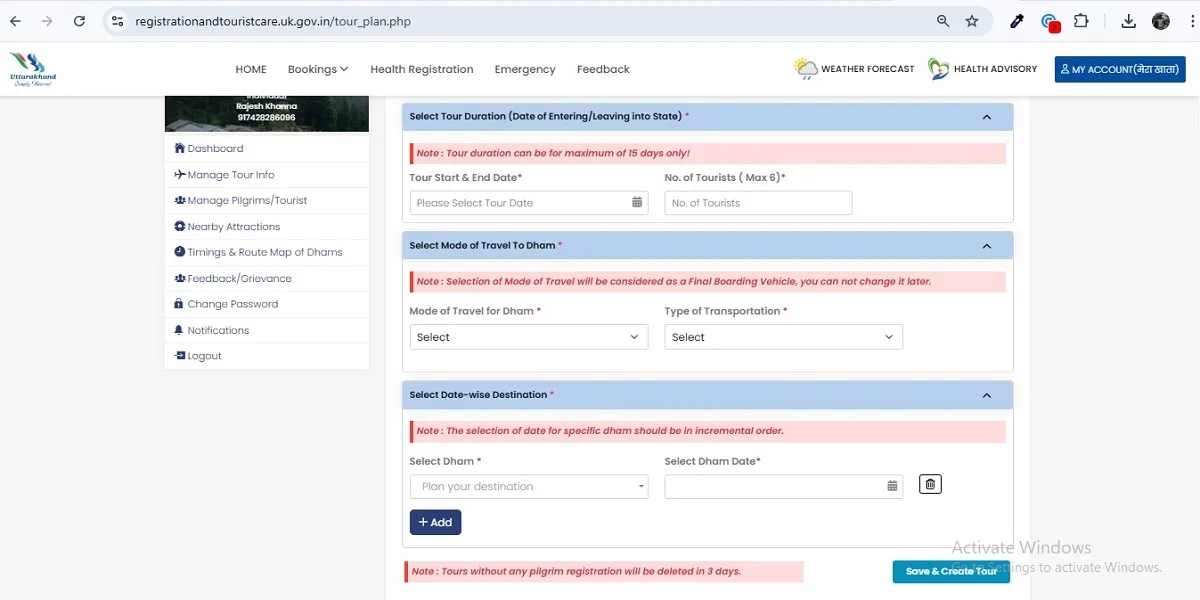
Step 4 - Fill Pilgrim Details Carefully
Filled in the pilgrim information with Aadhaar Details and verified it through the OTP. Also, add Emergency Contact details (person who is not traveling with you).
Note: You need to just add the pilgrims Aadhaar number, and then the site will automatically fetch personal details.
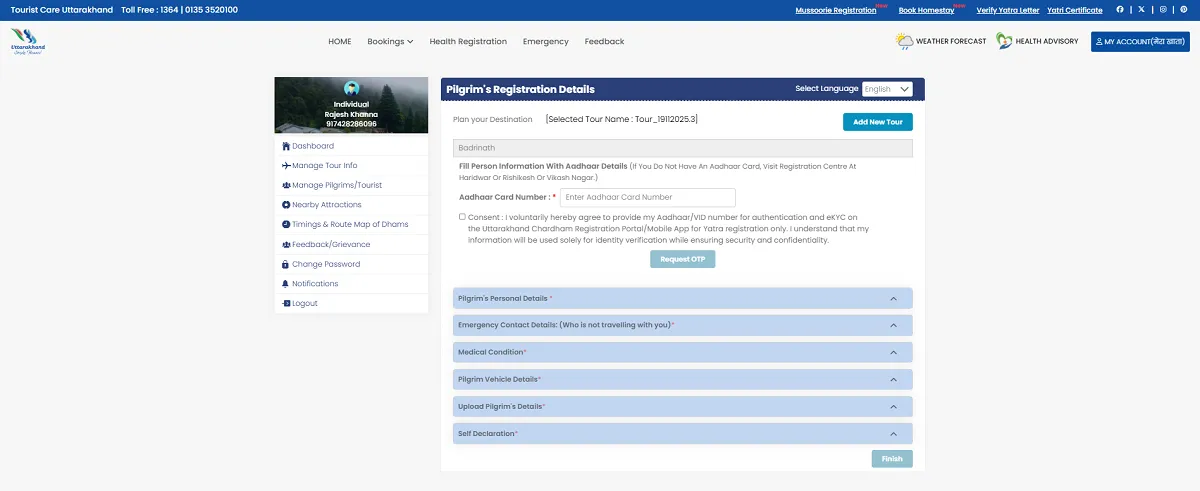
Step 5: Upload Documents & Health Declaration
Upload a scanned copy of a valid ID proof, like an Aadhaar Card or Voter ID Proof, and a passport-size photo, if asked for it.
Disclose your medical condition through the check box, which is important for high-altitude travel.
Review your application before the final submission. After that, click on the “submit” button.
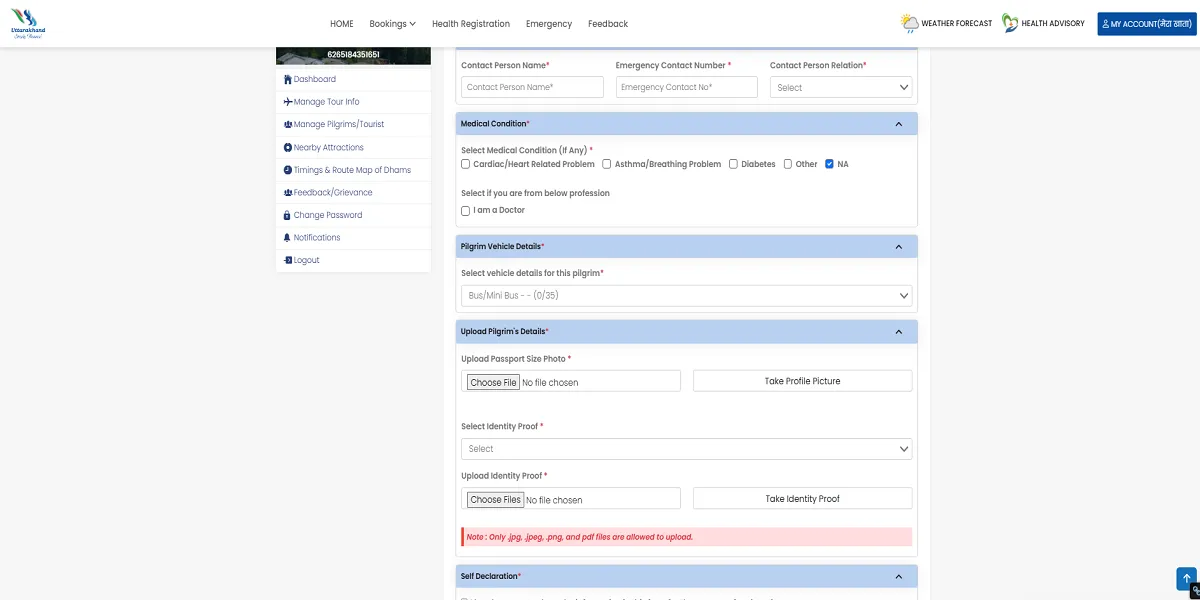
Step 6 (Final): Download Or Save E-pass
After successful submission, you will receive a QR code–based E-Pass, which serves as proof of your registration. You must download and save the E-Pass and carry either a digital or printed copy throughout your journey, as it is verified at multiple checkpoints. For complete details on validity, verification points, and common issues, read our Char Dham Yatra E-Pass Explained guide.
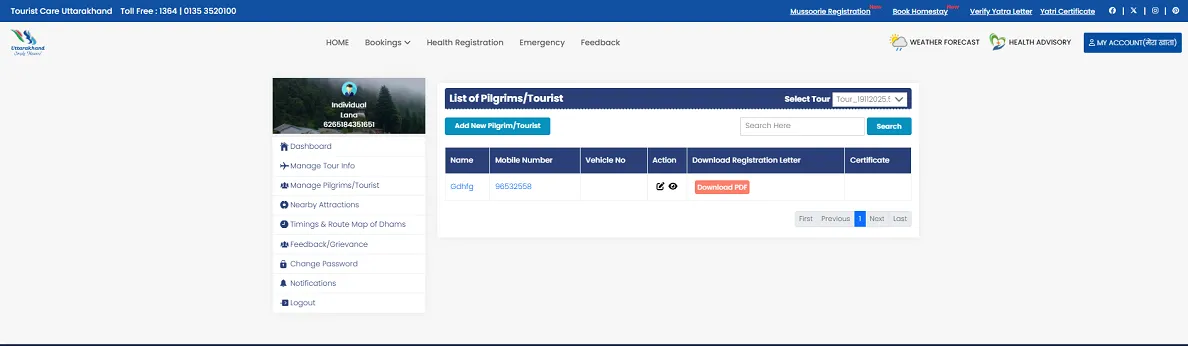
Char Dham Registration Online Process For NRIs/Foreigners
Step 1: Visit the official portal of https://registrationandtouristcare.uk.gov.in
Step 2: Sign up using your international number and Email ID.
Step 3: Plan your tour via the “create tour” button. Add your travel dates, mode of vehicle, and the dham that you visit.
Step 4: Fill in the pilgrim details, including Full Name, Age, Gender, and ID Proof details.
Step 5: Upload required documents, including a scanned copy of your passport or Visa and a recently clicked passport-size photo.
Step 6: Submit your Char Dham Yatra registration form and download the “Yatra registration letter,” which contains a Unique QR code and must be carried throughout your journey.
Char Dham Online Registration By App
Via Uttarakhand Tourist Care App: download the Char Dham online registration app on your phone for better convenience.
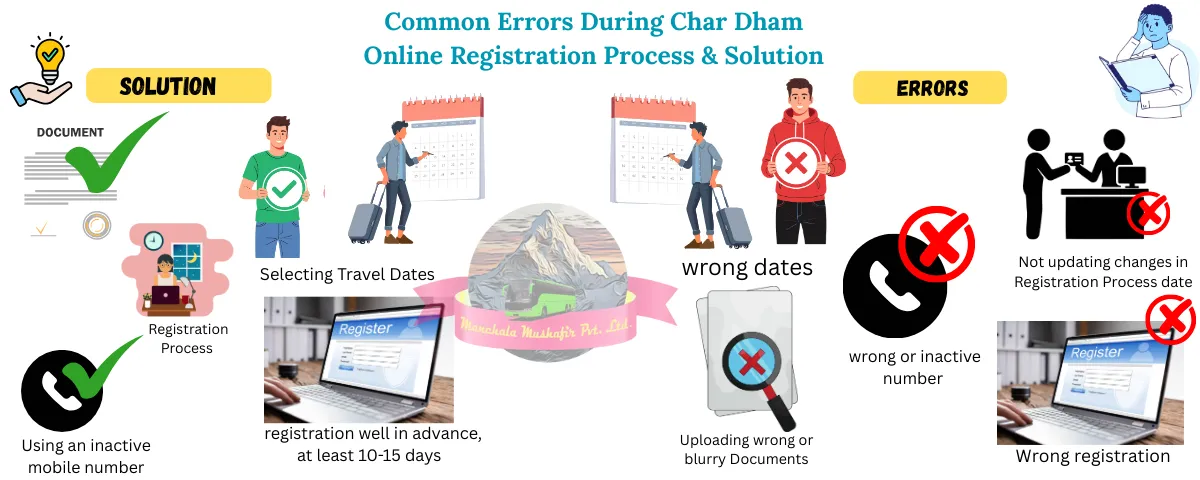
Common Errors During Char Dham Registration Online Process & Solution
1. OTP not received
Solution: Always use an active Aadhaar-linked mobile number to receive OTPs without delay.
2. Website Not Loading or Server Error
Solution: Complete your Char Dham registration online at least 10–15 days in advance or try during non-peak hours.
3. Document Upload Error or Verification Failure
Solution: Upload a clear and readable government-approved ID proof in the correct format and size.
4. Incorrect Travel Date Selection
Reason: Selecting impractical or incorrect travel dates creates confusion during verification.
Solution: Carefully select realistic and accurate travel dates for each Dham while filling the form.
5. Changes in Travel Plan Not Updated
Reason: Pilgrims modify their travel plans but forget to update details in the registration portal.
Solution: Log in to your account and update your Char Dham online registration details whenever your travel plan changes.
Tips To Avoid Registration Rejection Or Delay
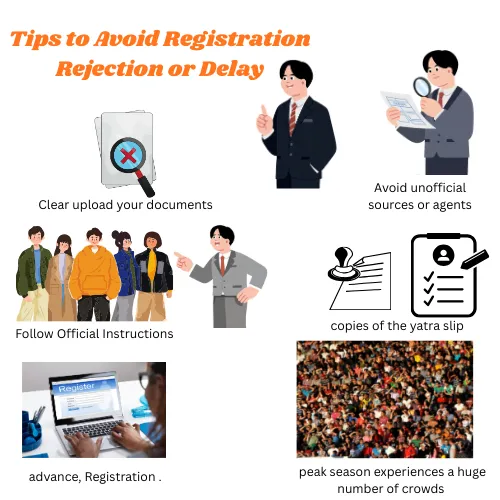
Register Early: Complete the Char Dham registration online process well in advance, at least 10-15 days before.
Avoid peak travel dates: Peak season experiences a huge number of crowds, so avoid it and choose your travel date wisely.
Keep multiple copies of the yatra slip: carry both a digital and a physical copy of the char dham yatra e pass online registration.
Clear uploads: upload your documents clearly and ensure they are legible and readable.
Follow Official Instructions: Always follow the instructions of the local authority to avoid registration rejection.
Avoid unofficial sources or agents: always use the official Char Dham online registration site.
Need Help With Char Dham Registration?
If you are facing any issues while completing the Char Dham online registration process or need more clarity on specific steps, explore the helpful guides below:
Char Dham Yatra Registration 2026 – complete rules, eligibility, and offline options
Char Dham Registration Login Guide – step-by-step help for account login issues
Char Dham Yatra E-Pass Explained – validity, checkpoints, and QR code details
These guides will help you complete your registration smoothly and avoid common mistakes.
Final Thoughts
The Char Dham Online registration process is simple, fast, the best, and essential for every pilgrim who visits Char Dham. Whether you are travelling individually or through a Char Dham tour package, Char Dham registration online is the first mandatory step of a journey to seek the divine blessings of a char dham deities
Plan early and ensure to complete the Char Dham registration online process well in advance before planning your trip to Char Dham, and let your journey become more spiritual, devotional, and memorable.
FAQs
Can I register multiple pilgrims from one account?
Yes, you can register multiple pilgrims from one account by choosing the “Family” or “Tour operator” option. It allows you to add multiple members to a single tour record. But you need to add their own details and documents for verification.
Can I edit details after submission?
Yes, you can easily make changes in details even after the submission of the application. To edit any details in your registration, log in back to the official portal and click on the “Modify Yatra” option. You need to access your account to make any changes before your trip.
What is the Char Dham Yatra online Registration price?
There are no charges for the registration process. Char Dham yatra online registration is a completely free process, managed by the Uttarakhand Government to ensure pilgrim safety and manage crowds during the peak season. Be aware of the agents who charge for this service.
What if the website is not working?
Use an alternative option, like the Char Dham online registration app or WhatsApp. You can complete the Char Dham registration online via the Uttarakhand tourist care mobile app or WhatsApp by sending sms of “Yatra Registration” to +91-8394833833 and follow the instructions.




.webp?v=15617ff41ba64410feaa36094192201f)